Everything, and where it lives

Two products, one firm workspace.
Here is exactly what each one does.

CA PRO Toolkit ships as a Chrome extension and a Windows app. They share one account, one firm and one set of records, and they are deliberately not identical — the extension can drive the GST portal in your own signed-in session, and the Windows app keeps working on your PC. Every capability below is labelled with the product it runs in.

Chrome extension Windows app In both
The one we would show you first

Input tax credit, reconciled four ways

Every module here is built the same way. This is the one with the most of that work behind it.

A GST period is not one comparison. It is four, and a claim only stands if all four agree.

CA PRO runs each of them and shows you where they disagree — the Purchase Register against GSTR-2B invoice by invoice; the credit claimed against the credit your review actually supports; GSTR-1 turnover against GSTR-3B turnover; and claimed ITC against what the Electronic Credit Ledger really received.

114 automated rule checks stand behind the control comparisons — the kind that catch a debit note being subtracted when s.34(3) CGST says it adds, or a period’s claim being measured against a closing balance it was never comparable to

Eleven of the thirteen GST capabilities work in both products Never files or pays

Only starting a run and the portal downloader need the browser, and both say so on their own cards. TDS health, notices and cases, and audit and assurance each have their own section below — nothing here is a demotion.

What firms feel first

The six that change the week

Ranked by the hours they take back, how often a practice runs them, and how much of the work the software does on its own.

A year of GST returns, downloaded while you do something else

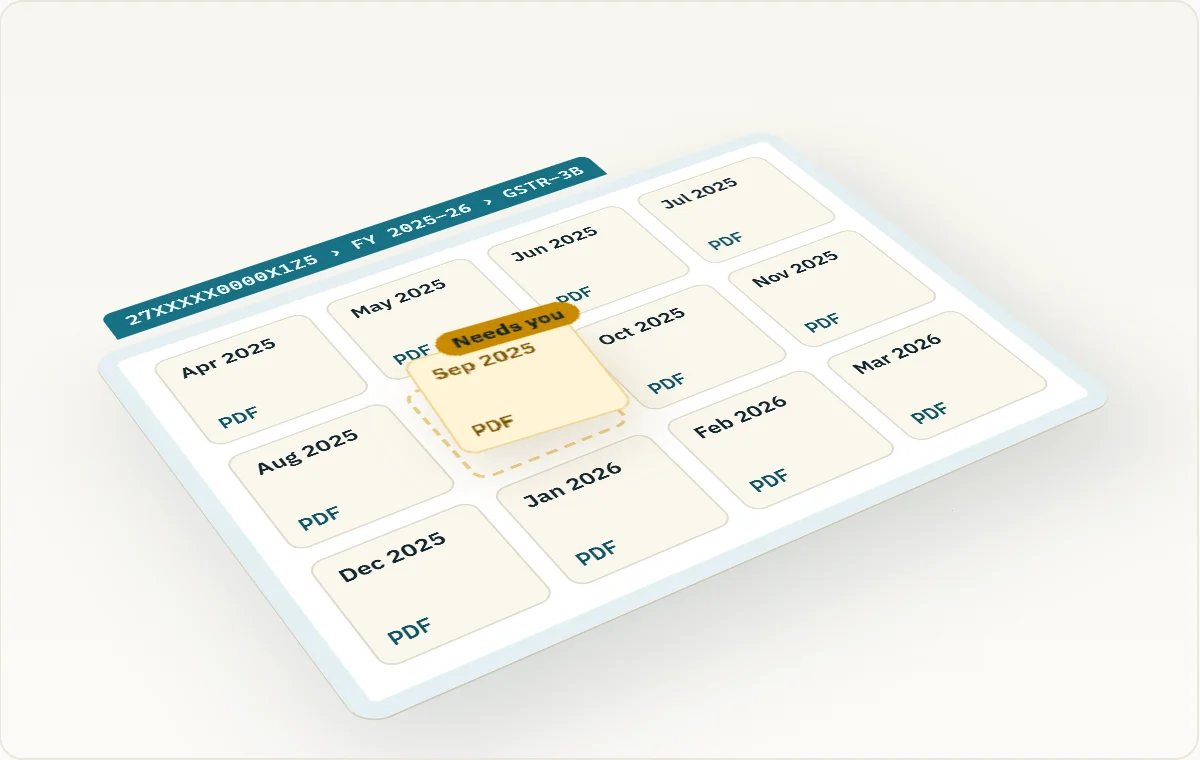
Pick a financial year and a return. CA PRO checks every period, tells you which are actually filed, and then works through the ones you tick — asking the portal to build a file where it has to, and saving each one under a name carrying the GSTIN, the return and the period. GSTR-1, 2A, 2B, 3B, 9 and 9C, plus the Electronic Credit and Cash Ledgers.

Replaces a morning of portal clicking, per client, per year

Chrome extension Never files or pays

Input tax credit, reconciled to the paise

Purchase Register against GSTR-2B, the credit you claimed against the credit your review supports, GSTR-1 turnover against GSTR-3B, and claimed ITC against what the Electronic Credit Ledger actually received. Settled lines clear in bulk; anything ambiguous waits for a person.

Catches credit you would otherwise lose or wrongly claim

Work it in both Start a run in the extension

A document in, a mapped audit programme out

Point it at a working paper, a page or pasted text. It reads the text on your device, classifies the audit areas it touches, suggests procedures drawn from what is actually written, and links the Standard on Auditing or Companies Act section behind each one. Everything arrives as a draft for review.

Turns reading time into a reviewable programme

In both

A notice, from PDF to a signed-off response

Read the notice into text, let it propose the dates, amounts and sections it found, then confirm each one yourself before anything moves. Draft the response, send it for review, record what was submitted, and keep the timeline and references with the case.

Nothing is treated as fact until a person confirms it

In both

TDS checks that become somebody’s job

Deductions, ITNS 281 challans, statements and PAN checks turned into source-linked health findings for a quarter. Record an official PAN result, close a check with a reason, and turn what is left into assigned, dated work rather than a list nobody owns.

Quarterly work that arrives already triaged

In both

One place the whole firm works from

A shared task board with bulk changes you preview before they land, a filing dashboard showing where every client stands, a compliance calendar, reminders that reach you on this device, daily and weekly digests, per-person workload for administrators, and a review queue for everything waiting on a decision. Work solo, or create a firm and bring your team in with an invite code.

Replaces the spreadsheet everyone keeps their own copy of

In both
How it actually runs

One GST period, start to signed off

The clearest way to see why both products exist. The browser reaches the portal; the desktop keeps working on your machine; the middle belongs to both. Each stage below says which product does it.

  1. Your portal session Sign in to the GST portal yourself, in your own tab. Extension
  2. Pull the returns Filed periods checked first, then each file saved under a name you can find. Extension
  3. Import the register Columns matched for you, checked, then committed to the period. In both
  4. Reconcile Register against 2B, claimed credit against the ledger, GSTR-1 against 3B. In both
  5. Decide and chase Settled lines clear in bulk; the rest get a reason, or a supplier to chase. In both
  6. Lock and export The period stops moving, with the trail behind every decision kept. In both

Nothing in this sequence files, pays or e-signs. The extension downloads what is already yours; every submission stays your decision, on the portal, by hand.

Which one do I install?

Both, if you can — and here is why

Most of what CA PRO does is in both products. The differences are not gaps left to fill later; each one exists because of what a browser tab and a desktop program can each reach. Five capabilities need the browser. Six need Windows.

Extension only 5

Needs a browser, because it works inside your own signed-in GST portal session.

  • GSTR Downloader. Pull a whole year of returns and ledgers from the portal.
  • Start a reconciliation run. Open a new GST period for review. Both products then work it.
  • Review any page or selection. Read the page you are on, or an area you drag.
  • Daily Work Planner. Plan the day in a browser tab.
  • It never files, pays or e-signs. The one product that touches the portal is the one that refuses to submit on it.
In both 44

One account, one firm, one set of records. Start on one, finish on the other.

  • GST reconciliation: decisions, bulk clearing, GSTR-3B control, supplier chase, lock and export
  • TDS health checks, PAN results, sign-off and action planning
  • Audit engagements, working papers, standard lookup and review history
  • Notices and cases, end to end, including the review gate
  • Task board, filing dashboard, calendar, reminders, digests, workload, review queue
  • Firm-wide record search and keyboard navigation
Windows only 2

Needs the desktop, because it works with files and with Windows itself.

  • Convert a GSTR-2B JSON file into something you can reconcile.
  • Browse existing import batches for the firm and see what went in.
  • Open a GST workbook and preview it on this PC. Nothing is sent to the server.
  • See exactly what this PC keeps, and erase it. Local data, sign-in data and your permissions, on one page.
  • Windows notifications for deadlines, with quiet hours.
  • Signed in-app updates, verified before they install.
The complete list

Every capability, and the product it runs in

51 capabilities, each one checked against the shipping code of both products before it was written down here. Nothing on this page is planned, partial or coming soon.

GST

Downloading returns, reconciling credit, and closing a period you can stand behind.

GSTR Downloader

Choose a year and a return, see which periods are actually filed, tick the ones you want, and let it work through them on the portal. GSTR-1, 2A, 2B, 3B, 9, 9C and both electronic ledgers.

A year of returns without a year of clicking

Extension

Start a reconciliation run

Open a GST period for review and pull the imported registers and portal data into it.

Sets up the period once, for everyone

Extension

Import a register, columns matched for you

Bring in a Purchase Register or portal file and let it propose which column is which, for you to confirm.

No more re-keying a client's spreadsheet

In both

Commit an import

Check the shaped data, then commit it to the period once it reads correctly.

Nothing lands until it looks right

In both

Decide each line

Work down the differences one at a time, recording what each one is and why.

Every conclusion carries its reason

In both

Clear settled lines in bulk

Anything already matched and agreed clears in one action, so review time goes to the exceptions.

Stops the same click repeating hundreds of times

In both

GSTR-3B control comparison

Turnover declared in GSTR-1 against GSTR-3B, and the credit claimed against the credit your review supports and the ledger actually received.

Catches a return that disagrees with itself

In both

Supplier follow-up list

The invoices missing from GSTR-2B, gathered by supplier, with a message you can send.

Turns a mismatch into a request

In both

Lock a run, keep the trail

Close a period so the numbers stop moving, with the activity behind every decision preserved.

A period you can stand behind later

In both

Export a run

Take the reconciliation out as a file for the working paper file or the client.

Evidence that leaves with you

In both

Convert a GSTR-2B JSON file

Take the portal's JSON download and turn it into rows you can reconcile.

The portal's own file, made usable

In both

Browse import batches

Every import the firm has made, with what it contained and what happened to it.

Answers what did we actually load

In both

Preview a GST workbook on your own device

Open an Excel file and check it before it goes anywhere. Nothing is sent to the server.

Look before you commit

In both

TDS

A quarter's deduction and payment work, checked and handed out.

TDS health checks

Deductions, ITNS 281 challans, statements and PAN data for a quarter, turned into source-linked findings.

The quarter, triaged

In both

Findings into assigned work

Turn what the checks found into dated, owned tasks instead of a list nobody holds.

Findings that reach a person

In both

Close a check with a reason

Record the conclusion on a check, and what it rests on.

A closed item that explains itself

In both

Record an official PAN result

Enter the result of an official PAN check, with its source reference. A failed one keeps blocking review until a later result replaces it.

The blocking check cannot be waved through

In both

Audit and assurance

From reading a document to an engagement that closes properly.

Suggested audit points from your own text

Reads what is written, classifies the audit areas it touches, and proposes procedures drawn from the text itself. Every result is a labelled draft.

Reading time becomes a programme

In both

Review a page or a selection

Review the page you are on, or drag a box around part of it.

Works on whatever is on screen

Extension

Standard and section lookup

Plain-language guidance for a Standard on Auditing or a Companies Act section, beside the point it applies to.

The reference, where you need it

In both

Review history, with exports

Every review you have run, filterable by date, exportable, and trimmed automatically.

Yesterday's work, findable

In both

Engagements and findings

Scope, evidence, findings, review and closure, with a gate at each stage.

An engagement that cannot skip a step

In both

Working papers with a review trail

The papers themselves, with who prepared and who reviewed each one recorded.

The trail a reviewer asks for

In both

Notices and cases

A notice, from the day it arrives to the day it is answered.

Notices and cases register

Every notice raised against a client, with its status, owner and dates.

Nothing sits in an inbox unseen

In both

Read a notice into text

Turn a scanned or PDF notice into text you can work with.

A scan becomes searchable

In both

Suggested facts, waiting on you

It proposes the dates, amounts and sections it found. None of them count until you confirm each one.

Nothing is treated as fact by default

In both

Draft a response

Build the reply against the confirmed facts, with the references attached.

A first draft that starts from the record

In both

Send a draft for review, and sign it off

Route a response to a reviewer, take their decision, and finalise it.

No response leaves unreviewed

In both

Export the case file

Take the whole case out, with its timeline and submissions.

The file, complete, on demand

In both

Firm and workflow

The daily surface: what is due, who has it, and what is waiting on a decision.

Firm task board

The practice's shared list of what is open, who owns it and when it is due.

One list, not one per person

In both

Bulk changes, previewed first

Change many tasks at once, seeing exactly what will happen before it does.

Bulk edits you can trust

In both

Filing dashboard

Where every compliance filing for the firm stands right now, client by client.

The question a partner asks, answered

In both

Compliance calendar

Tasks, tax work and reminders across a date range, in one view.

The month, visible

In both

Due-date reminders

Reminders for statutory dates, reaching you on the device you are using.

The deadline finds you

In both

Your work queue

Your own audit, tax and compliance items, most urgent first.

Where to start today

In both

Team workload

Per-person counts across the firm, for administrators.

Who is buried, who is free

In both

Review queue

Everything across the firm waiting on a reviewer's decision, for administrators.

Nothing waits unnoticed

In both

Daily and weekly digests

A summary of what moved and what is coming, kept in an inbox you can mark read in one go.

The week, without chasing it

In both

Tax work tracker

Log and track tax work by client and period, with the document checklist for each job.

Every job's state, on record

In both

Search the firm's records

Find tasks, clients and notice cases across the workspace by keyword.

Finds it before you re-create it

In both

Create or join a firm

Work solo, or bring the practice in with an invite code and switch between workspaces.

Grows from one person to a team

In both

Keyboard navigation

Jump straight to a screen with Ctrl+K instead of hunting through menus.

Hands stay on the keyboard

In both

Daily Work Planner

Plan the day's compliance work in a browser tab.

The day, laid out

Extension

Privacy and platform

What stays on your machine, what needs your consent, and what the product refuses to do.

PDFs and Word tables read on your machine

File text is read on your device first, and source files are not retained after processing.

Client documents stay client documents

In both

It never files, pays or e-signs

The product downloads your own returns when you ask. It does not submit, pay or sign anything on a portal, ever.

The portal stays yours

Extension

Consent before anything leaves

Sending anything to the AI assistant or the online text reader always needs your explicit agreement first.

You decide what travels

In both

See what this device keeps, and erase it

Local data, sign-in data, retention periods and your permissions, on one page, with removal.

Auditable on your own machine

In both

Windows notifications

Deadline alerts through Windows itself, with a reminder time and quiet hours.

Alerts that respect the evening

Windows app

Signed in-app updates

Updates verified before they install, from inside the app.

Current, without a hunt

Windows app

Read your work with no connection

Your firm's records stay readable offline. Nothing is queued up to write later.

The train journey still works

In both

Google sign-in

One account across both products, with firm roles enforced on the server.

One sign-in, two products

In both

Start with the one that fits today

Free to use, no card, nothing to configure. Sign in with Google, work on your own or create a firm, and add the other product whenever you need it — the records follow you.