
CA PRO on your desktop,
without the browser.
Audit review, GST reconciliation and TDS checks, notices and cases, engagements and working papers, the firm task board, filing dashboard, review queue, team workload, calendar, reminders, summaries and the tax work tracker — running as a native Windows app, with a command palette for keyboard navigation and a page showing exactly what it keeps on your PC. Installs for your user only, so you do not need administrator rights, and .NET and the Windows App Runtime are bundled in.
The Windows app installs on a computer. Send yourself the link and download it there.
64-bit Windows 10 (build 19041) or later. Expect a SmartScreen prompt on first run — here is exactly what it says, and why.
- File
- —
- Version
- —
- Released
- —
- Size
- —
Check you got the real file
—
System requirements
- Windows 10 version 2004 (build 19041) or later, or Windows 11
- 64-bit (x64). ARM64 and 32-bit builds are not published — on a Windows-on-ARM device, CA PRO runs through Windows' own built-in x64 emulation.
- About 250 MB of free disk space
- An internet connection, for sign-in and for the firm workspace
No administrator rights are needed to install, and no separate .NET or Windows App Runtime download is required — both are bundled with the installer.
Before you run it: two warnings you will see
CA PRO is a small, independent product with no paid code-signing certificate, so on first download and first run you will see two warnings — one from your browser, one from Windows. Both are normal. Here is exactly what each one looks like, so you recognise it on sight instead of guessing.
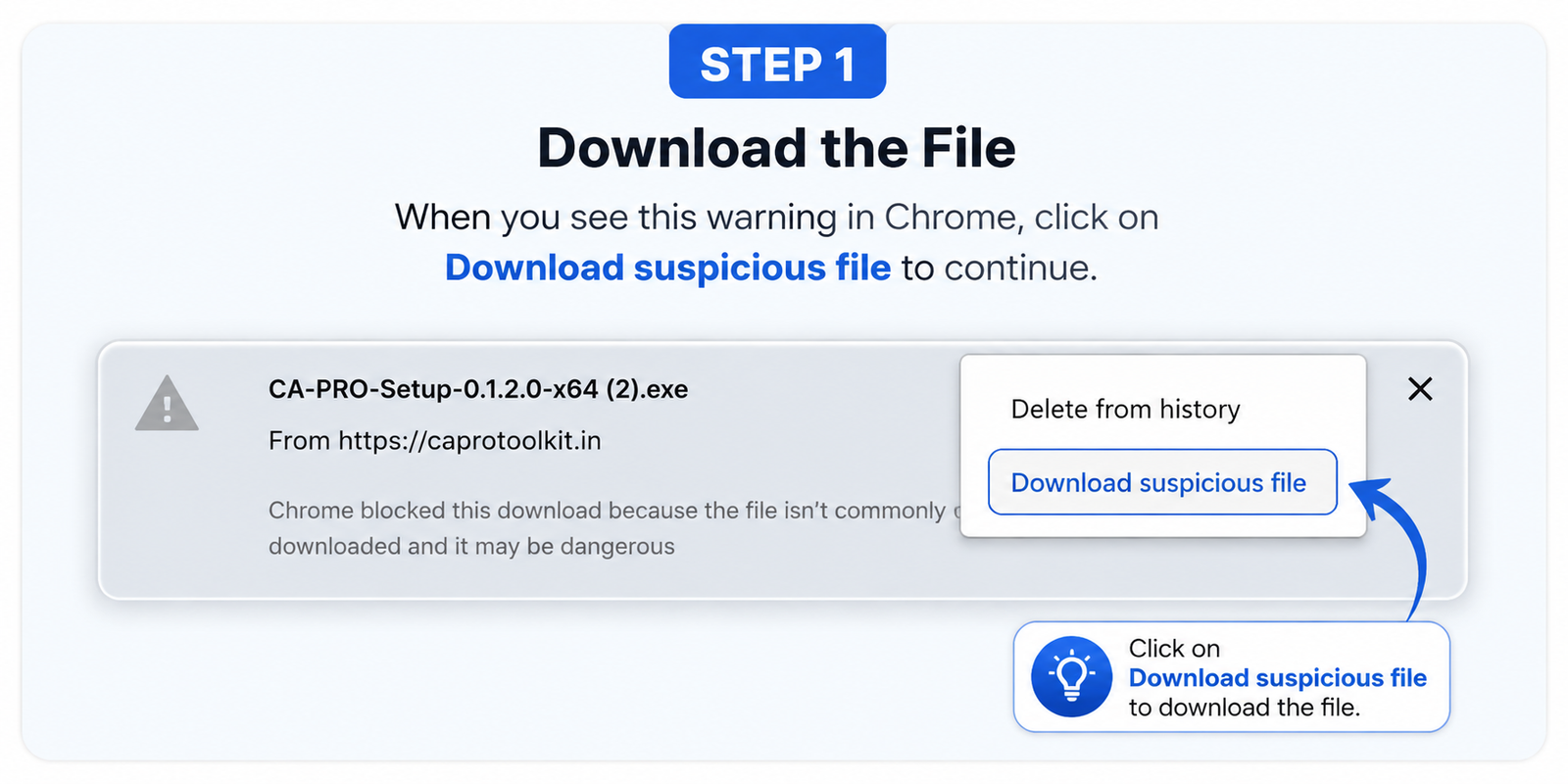
Download the file
Chrome may warn that the file "isn't commonly downloaded." Click Download suspicious file to continue.
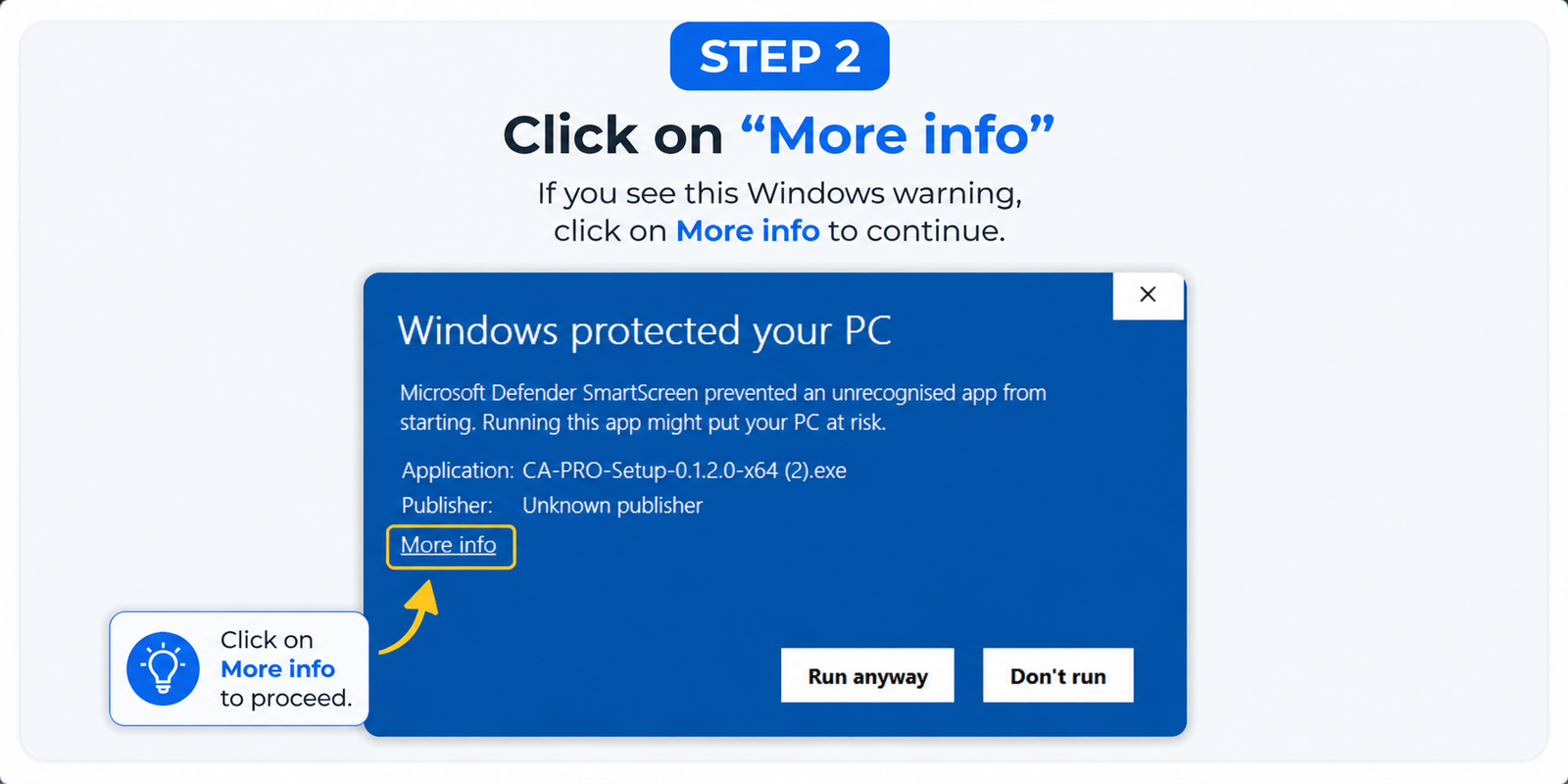
Click “More info”
Windows shows "Windows protected your PC." Click More info to proceed.
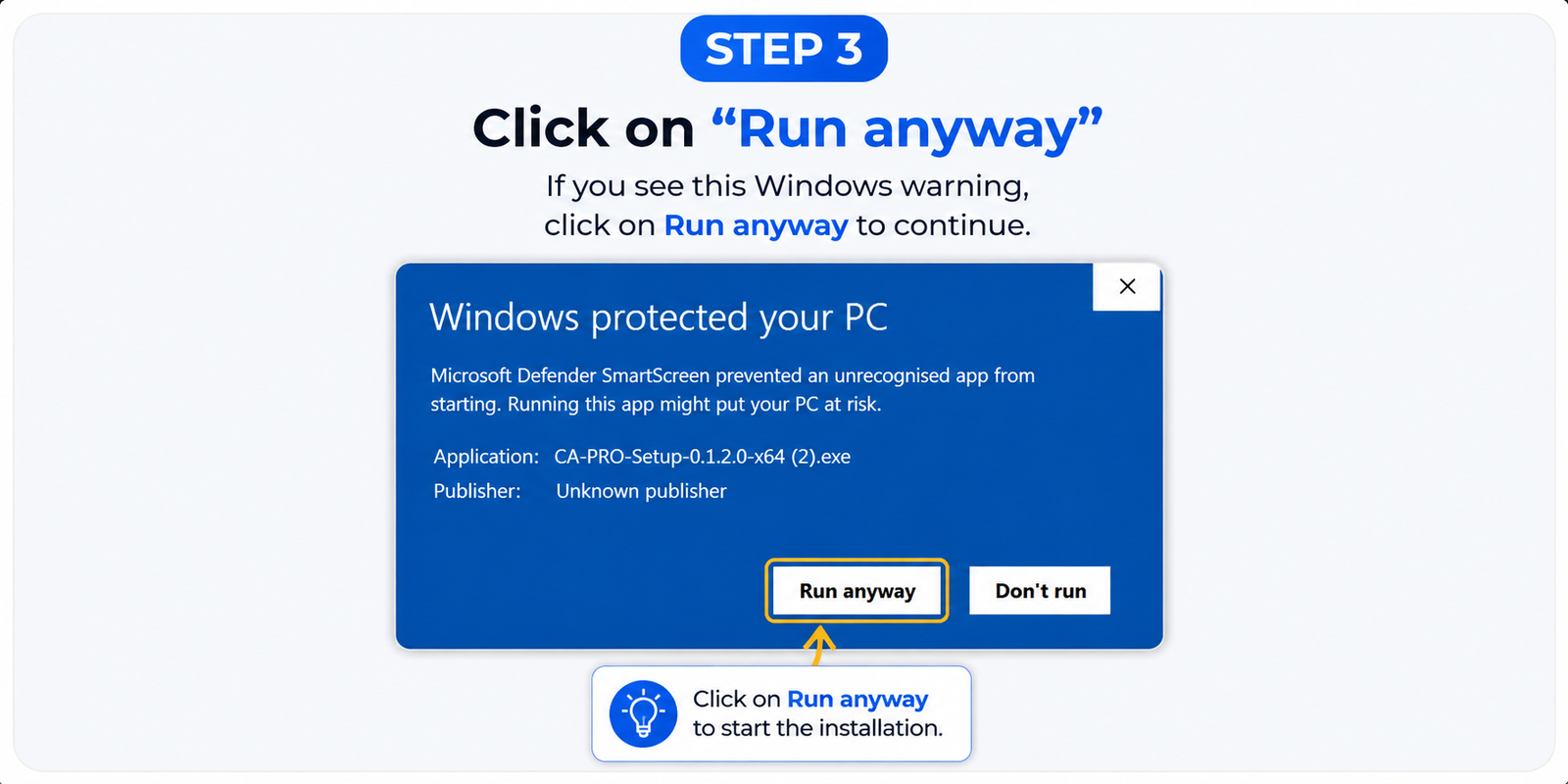
Click “Run anyway”
The publisher shows as unknown — expected, see below. Click Run anyway to start installing.
We are not going to tell you the warning will disappear — it won't, until CA PRO has enough anonymous download history for Microsoft's own reputation system to recognise it — and we are not going to ask you to turn SmartScreen off. The SHA-256 hash above is how you check, independently of any signature, that the file you received is exactly the one we published.
What changed
—